HTML _CSS
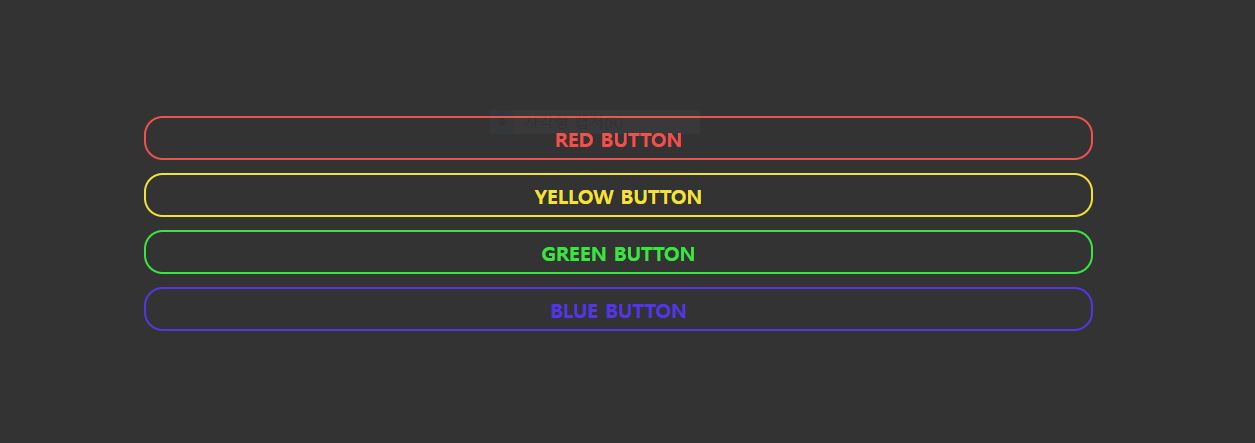
CSS Simple Animation
HiroDaegu
2022. 6. 8. 00:56
728x90
SMALL

<!DOCTYPE html>
<html lang="ko">
<head>
  <meta charset="UTF-8">
  <meta http-equiv="X-UA-Compatible" content="IE=edge">
  <meta name="viewport" content="width=device-width, initial-scale=1.0">
  <title>CSS SIMPLE ANIMATION</title>
  <link rel="stylesheet" href="style.css">
</head>
<body>
  <ul>
    <li class="btn-red">RED BUTTON</li>
    <li class="btn-yellow">YELLOW BUTTON</li>
    <li class="btn-green">GREEN BUTTON</li>
    <li class="btn-blue">BLUE BUTTON</li>
  </ul>
</body>
</html>
ul li {
font-size: 16px;
font-weight: 600;
display: block;
text-align: center;
cursor: pointer;
border-radius: 15px;
padding: 5px 0;
margin: 10px 0;
transition: all .5s ease-in;
}
.btn-red {
border: 2px solid #F0514E;
color: #F0514E;
}
.btn-red:hover {
box-shadow: #F0514E 100px 0 0 2px inset;
}
.btn-yellow {
border: 2px solid #F5E234;
color: #F5E234;
}
.btn-yellow:hover {
box-shadow: #F5E234 100px 0 0 2px inset;
}
.btn-green {
border: 2px solid #3AE541;
color: #3AE541;
}
.btn-green:hover {
box-shadow: #3AE541 100px 0 0 2px inset;
}
.btn-blue {
border: 2px solid #5635E2;
color: #5635E2;
}
.btn-blue:hover {
box-shadow: #5635E2 100px 0 0 2px inset;
}728x90
LIST