SWIFT
Text Field & Delegate
HiroDaegu
2022. 12. 6. 00:53
728x90
SMALL
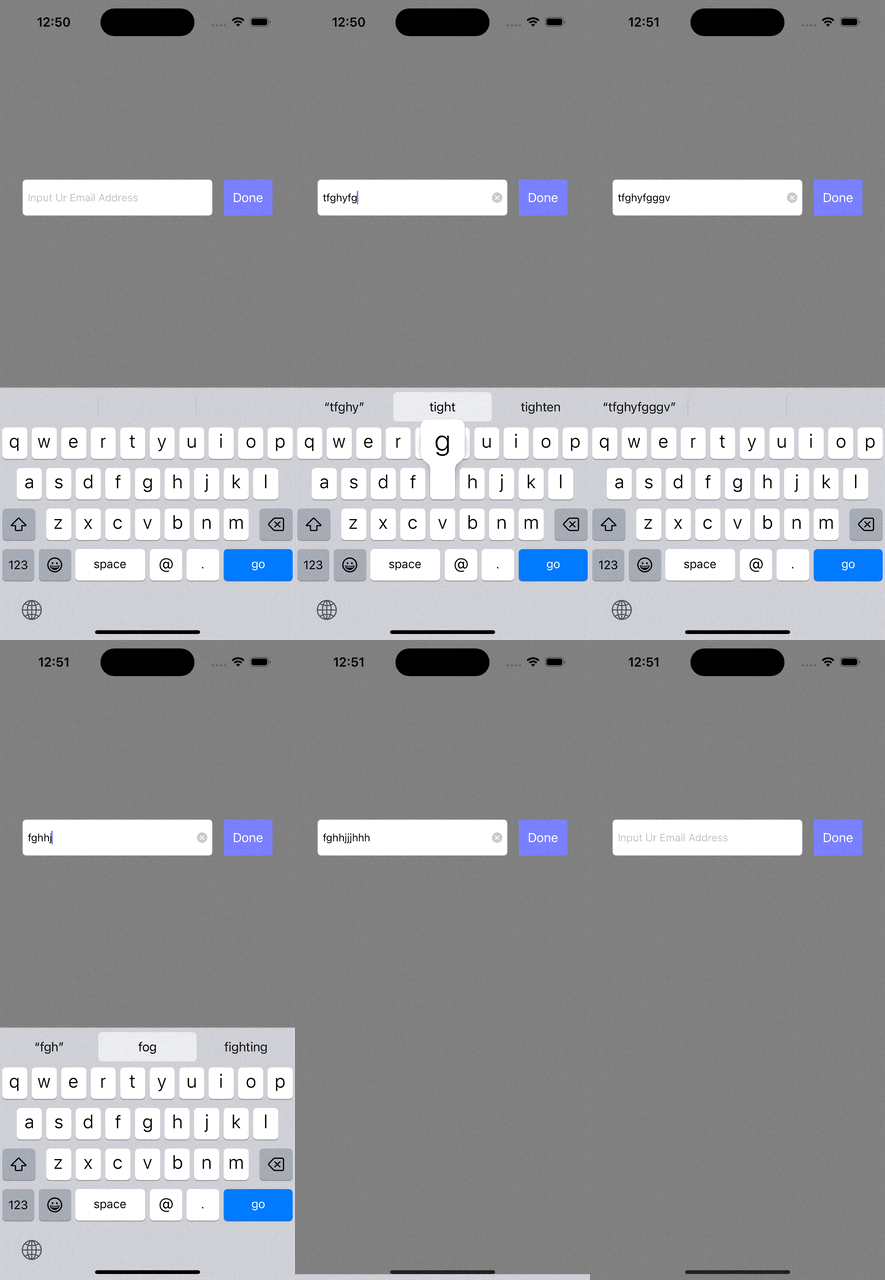
import UIKit

class ViewController: UIViewController, UITextFieldDelegate {

    @IBOutlet weak var textField: UITextField!

    override func viewDidLoad() {
        super.viewDidLoad()

        textField.delegate = self

        setup()
    }

    func setup() {
        view.backgroundColor = UIColor.gray
        textField.placeholder = "Input Ur Email Address"
        textField.keyboardType = UIKeyboardType.emailAddress
        textField.borderStyle = .roundedRect
        textField.clearButtonMode = .always
        textField.returnKeyType = .go

        textField.becomeFirstResponder()
    }

    // click anywhere in iPhone and close keyboard
    override func touchesBegan(_ touches: Set<UITouch>, with event: UIEvent?) {
        self.view.endEditing(true)
//        textField.resignFirstResponder()
    }

    // Called when text field input starts
    func textFieldShouldBeginEditing(_ textField: UITextField) -> Bool {
        return true
    }

    // Input start (point of view)
    func textFieldDidBeginEditing(_ textField: UITextField) {
        print("U stared typing")
    }

    func textFieldShouldClear(_ textField: UITextField) -> Bool {
        return true
    }

    // Check one word in text field (input or delete)
    func textField(_ textField: UITextField, shouldChangeCharactersIn range: NSRange, replacementString string: String) -> Bool {
//        print(string)
//        return true

        // Limit length of characters
        let maxLength = 10
        let currentString: NSString = (textField.text ?? "") as NSString
        let newString: NSString = currentString.replacingCharacters(in: range, with: string) as NSString
        return newString.length <= maxLength
    }

    // Whether to allow the next action when the enter key in the text field is pressed
    func textFieldShouldReturn(_ textField: UITextField) -> Bool {
        return true
    }

    // Called at the end of textfield input
    func textFieldShouldEndEditing(_ textField: UITextField) -> Bool {
        return true
    }

    // When textfield input is complete
//    func textFieldDidEndEditing(_ textField: UITextField) {
//        <#code#>
//    }

    @IBAction func doneBTN(_ sender: UIButton) {
        textField.resignFirstResponder()
    }
}
728x90
LIST